MESSAI · How to use · about 10 minutes
How to use MESSAI
What the platform is for, eleven short screen recordings of the screens a researcher uses, and the user manual. The long engineering reference is separate, and labelled, at the bottom of this page.
01
MESSAI for a researcher, in five points
-
Search the literature. Find papers by keyword, author, DOI or meaning. The corpus lists 19,000+ papers (October 2026); each result opens to its abstract and the parameter values extracted from it.
Research/research -
Check a number before you rely on it. An extracted value sits next to the paper it came from, so you can compare it with the literature rather than trust a table.
Parameters/parameters -
See how parameters relate. Each canonical parameter has one definition, unit and literature range. The knowledge graph shows which parameters drive a target, and where the literature has little to say.
Knowledge graph/parameters/knowledge-graph -
Compare reactor designs. Pick a model in the lab, change its parts and operating conditions, and watch the 3D model and the forecast move together. Forecasts show a range, and each predictor has a methods page that says what it leaves out.
Lab/lab -
Judge a paper, follow a collaboration. The reproducibility checklist scores what a paper reports so another lab can repeat it. Collaboration workspaces show what the corpus already holds for a use case and what is still missing.
Reproducibility/tools/reproducibility
MESSAI supports comparison and screening. A forecast is an estimate with a range, not a measurement; check the methods page of the predictor behind it before quoting a number.
02
Eleven screen recordings
Each recording is silent and 15 to 23 seconds long. Open one to play it; the numbered steps for the same screen are one link away.
-
/research
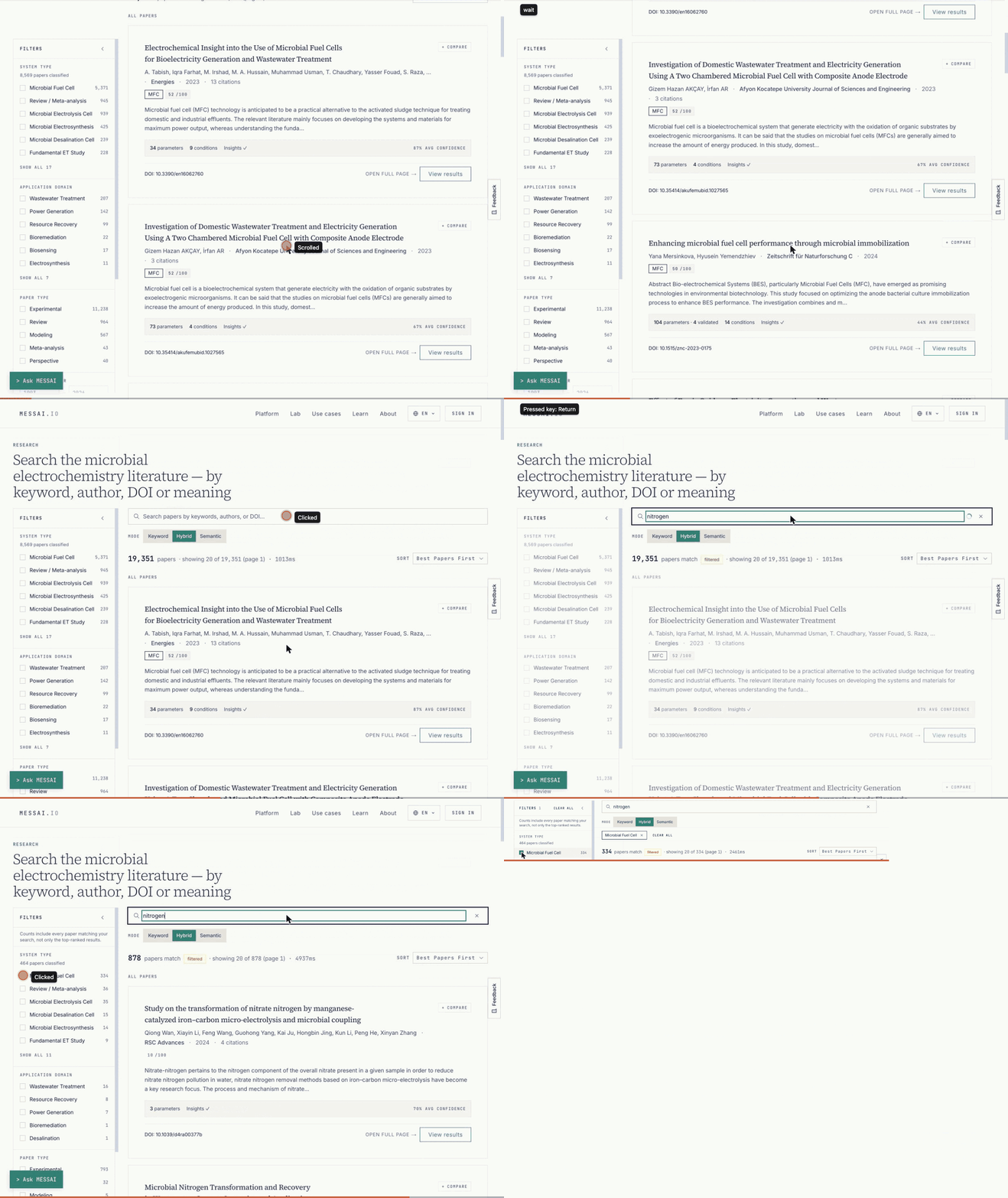
Research listing
Search the literature by keyword, author, DOI or meaning. Each result is a paper record with its abstract and extracted values.
Written stepsPlay the recording
-
/research/paper/<ref>
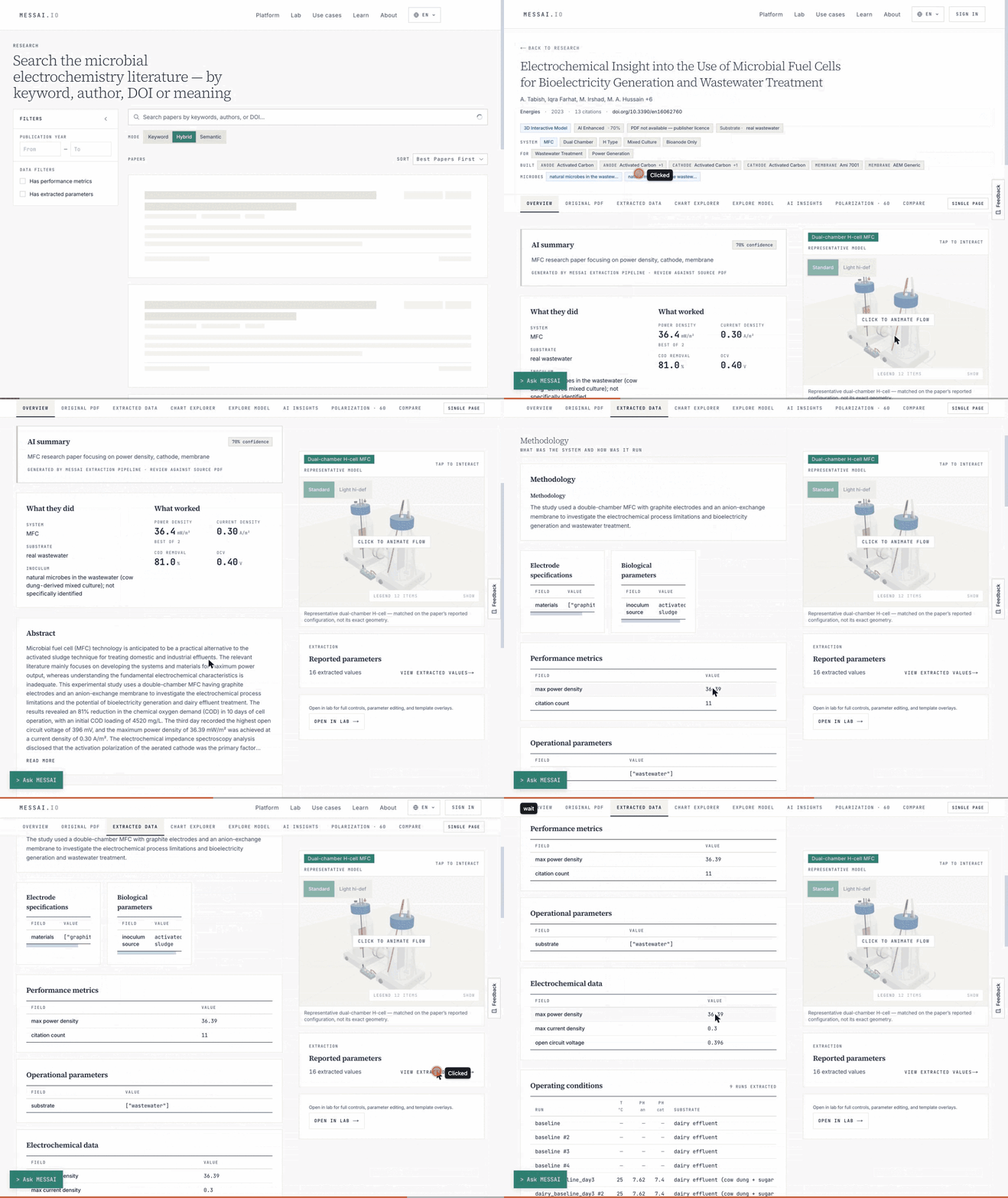
Paper detail
One paper, with the values extracted from it laid next to the literature. Use it to check a number before you rely on it.
Written stepsPlay the recording
-
/parameters
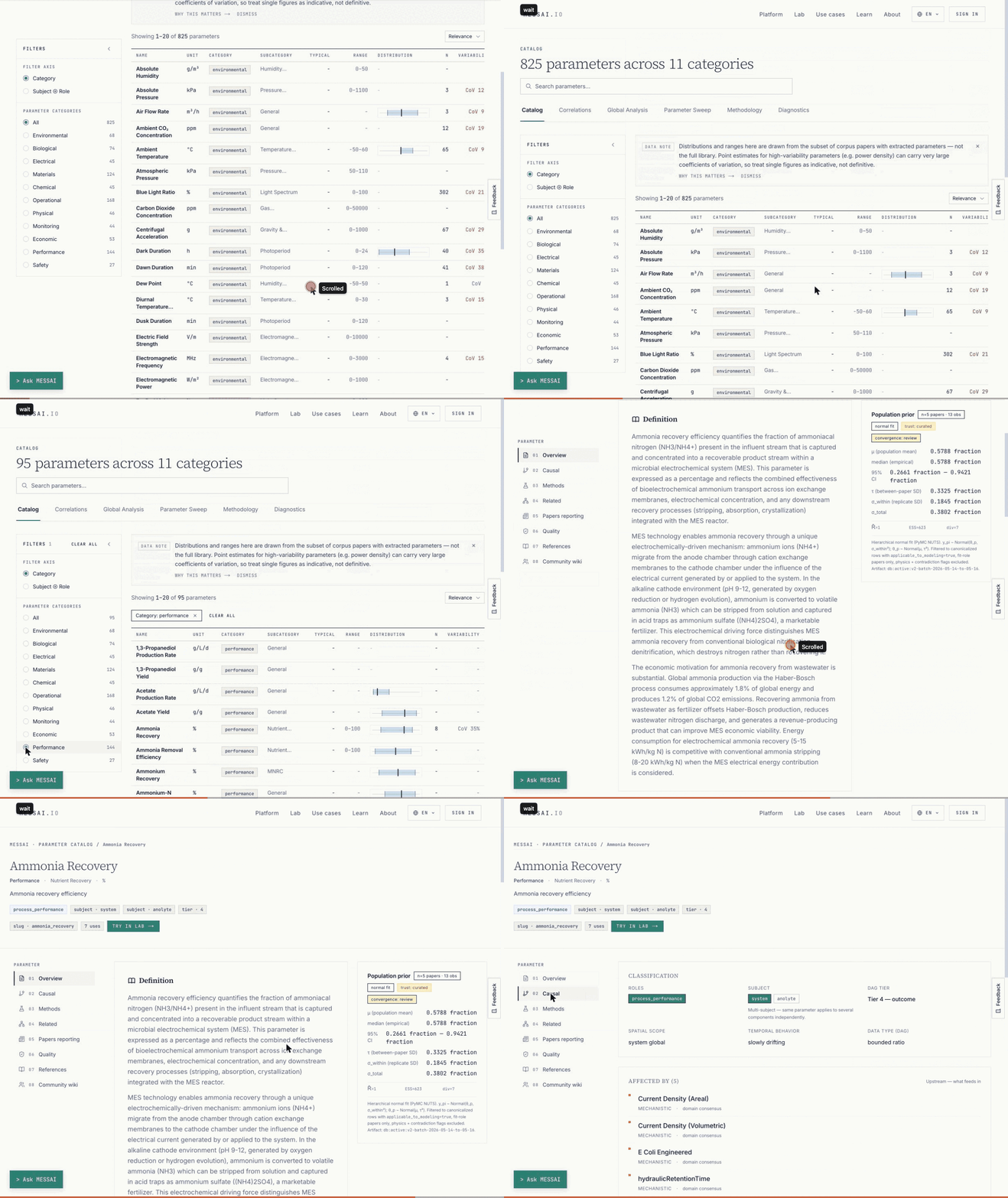
Parameters catalog
Every canonical parameter with its definition, unit, literature range and couplings, so a name such as power density has one meaning across papers.
Written stepsPlay the recording
-
/parameters/knowledge-graph
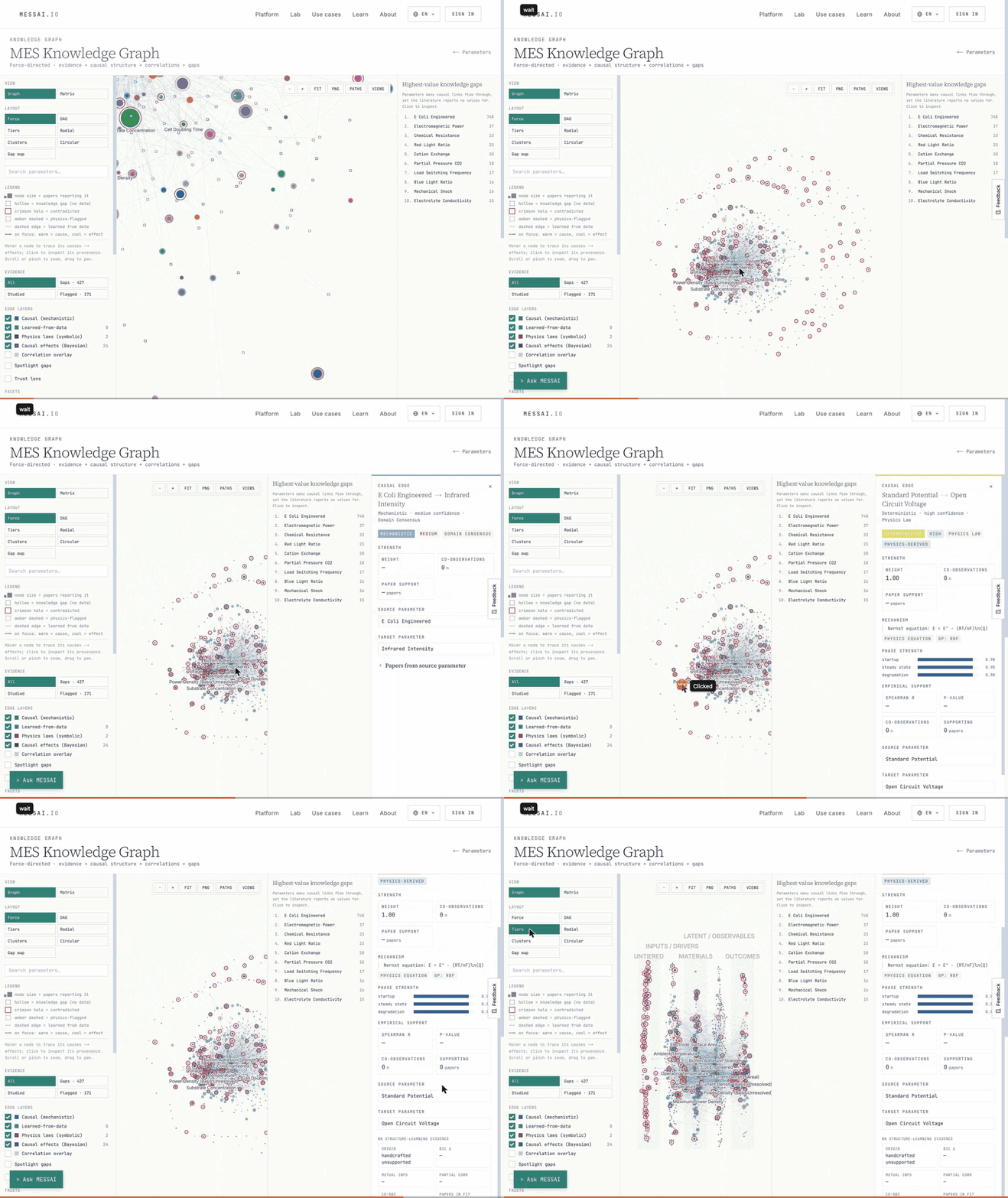
Knowledge graph
Evidence, causal structure, correlations and knowledge gaps in one view of the parameters.
Written stepsPlay the recording
-
/lab
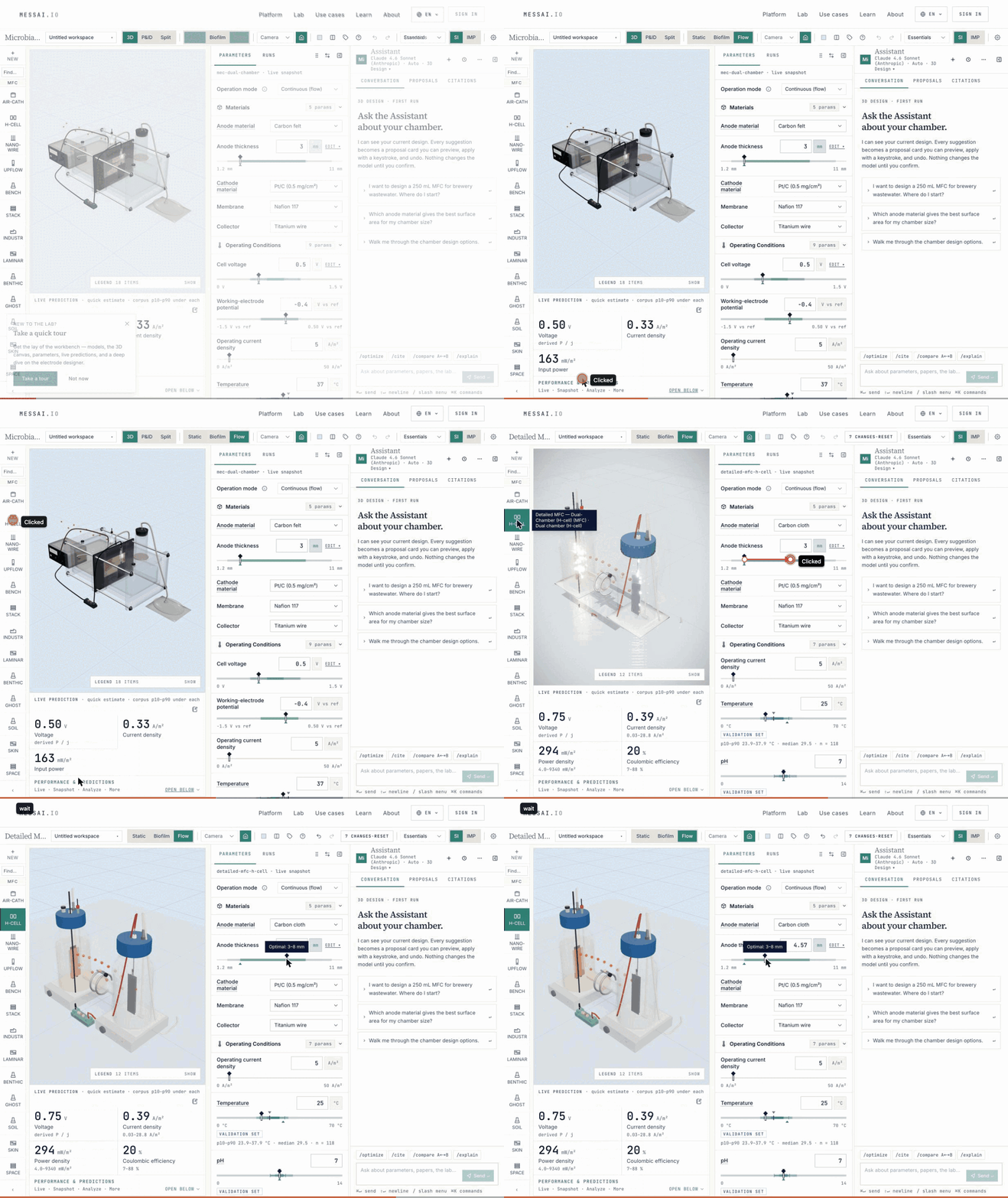
Lab reactor builder
Design a reactor: pick a model, edit its parts and conditions, and watch the prediction and the 3D model change together.
Written stepsPlay the recording
-
/predictions
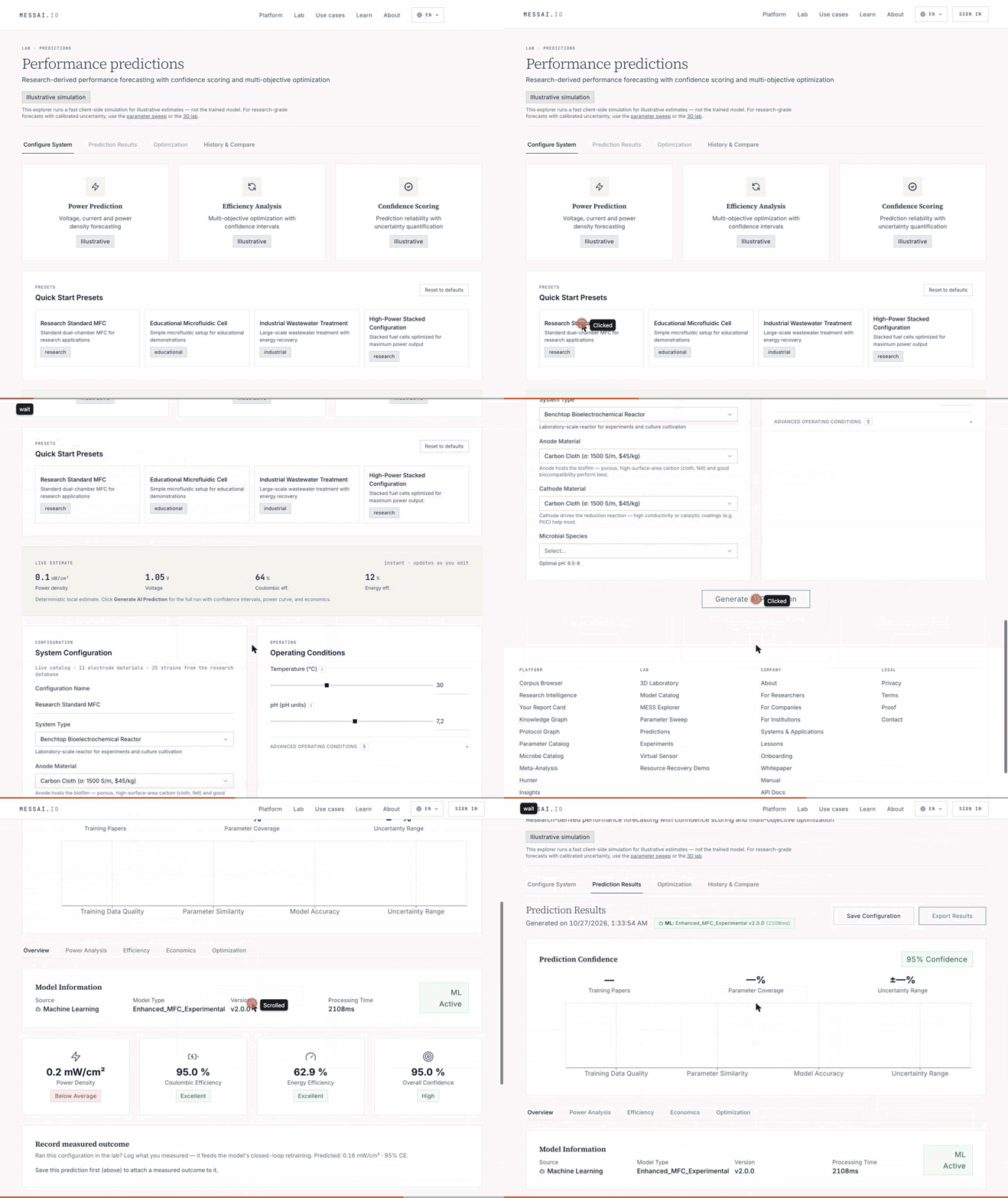
Predictions form
Enter a system configuration and get a forecast with a confidence score. The page labels its output as an illustrative simulation.
Written stepsPlay the recording
-
/lab
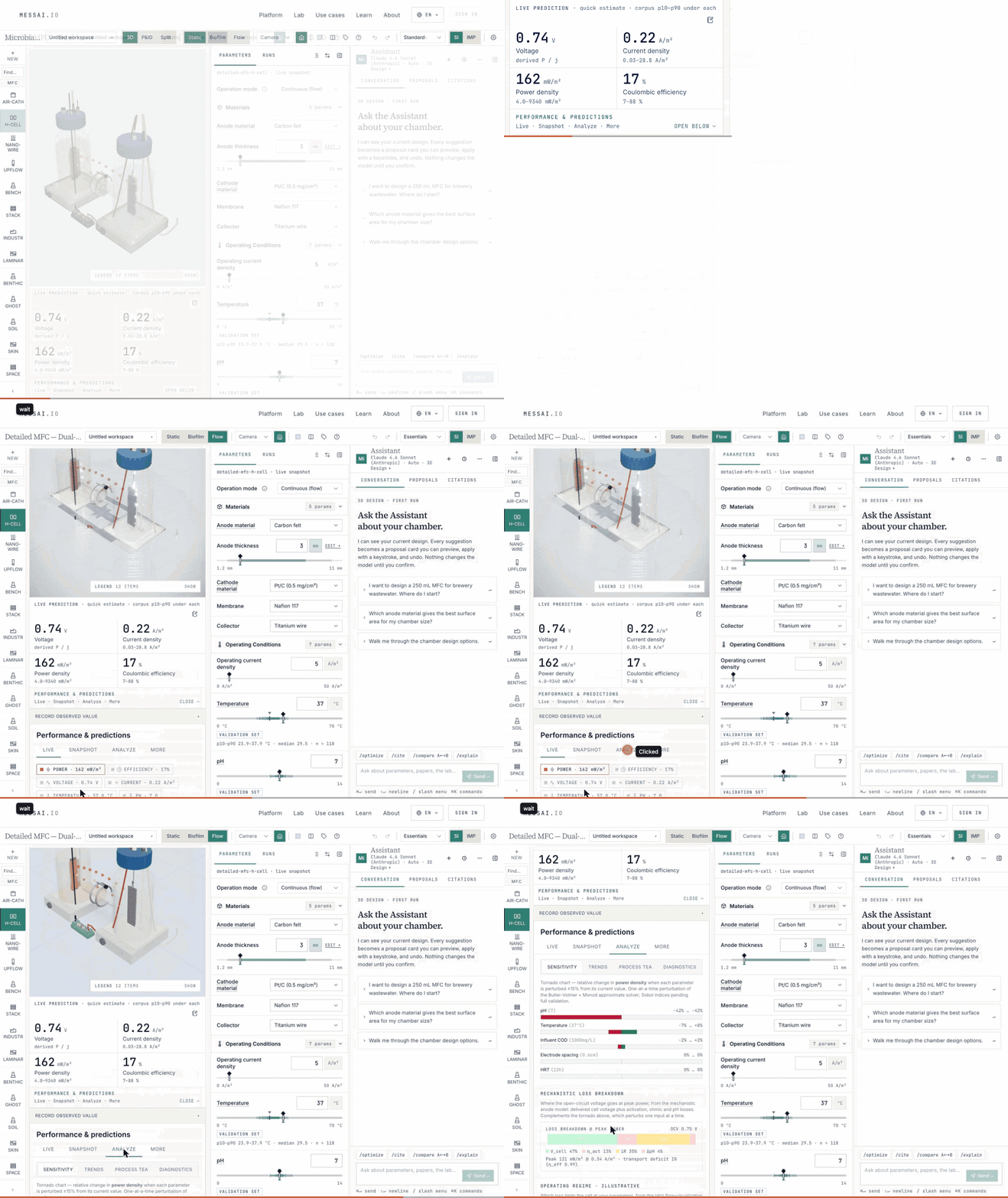
Predictions in the lab
The lab’s live prediction panel shows a quick estimate with the corpus p10 to p90 range under each value.
Written stepsPlay the recording
-
/tools/reproducibility
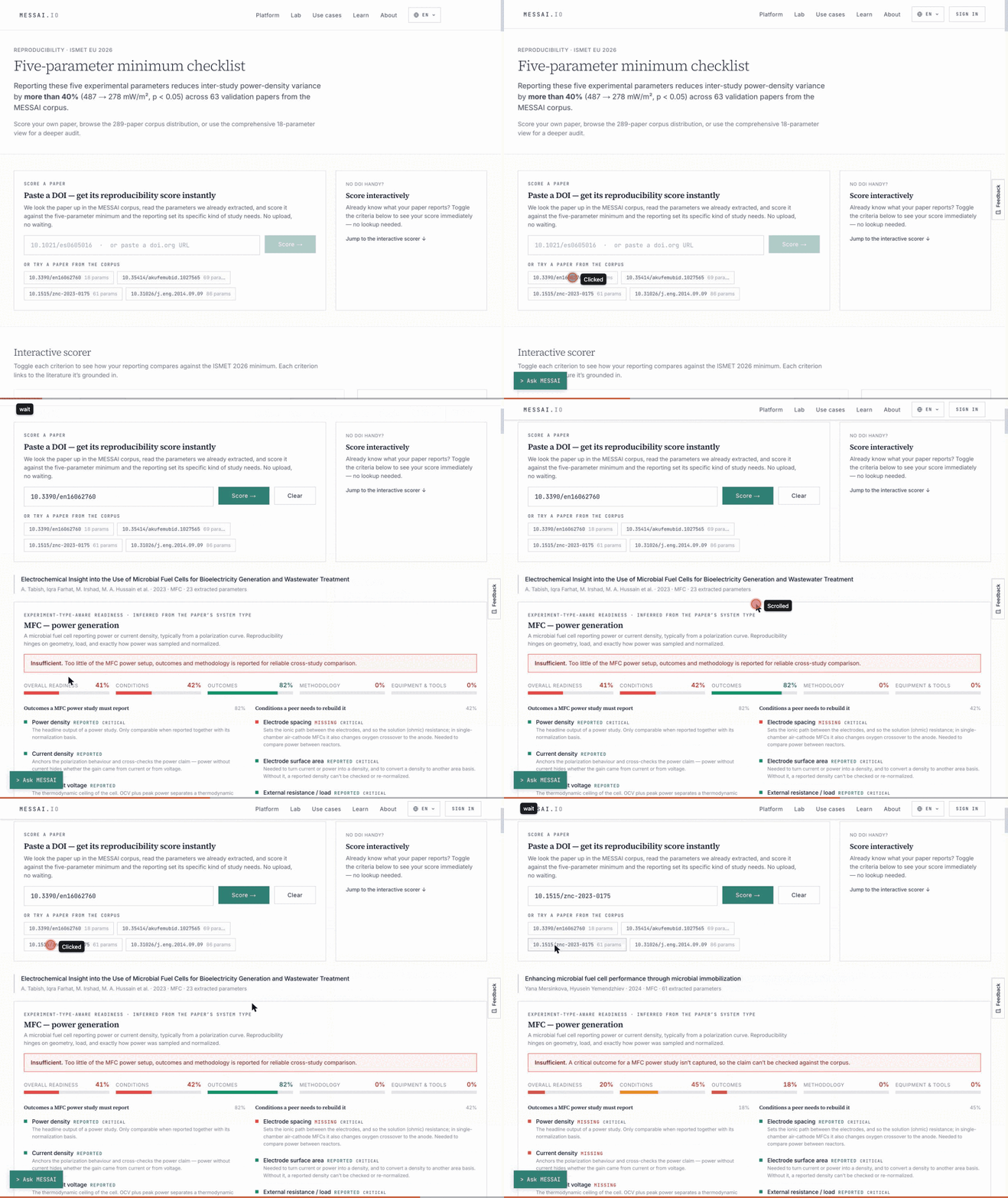
Reproducibility scorer
A checklist of what a paper must report so another lab can compare or repeat it. Score a paper from its DOI, or tick the criteria for your own manuscript.
Written stepsPlay the recording
-
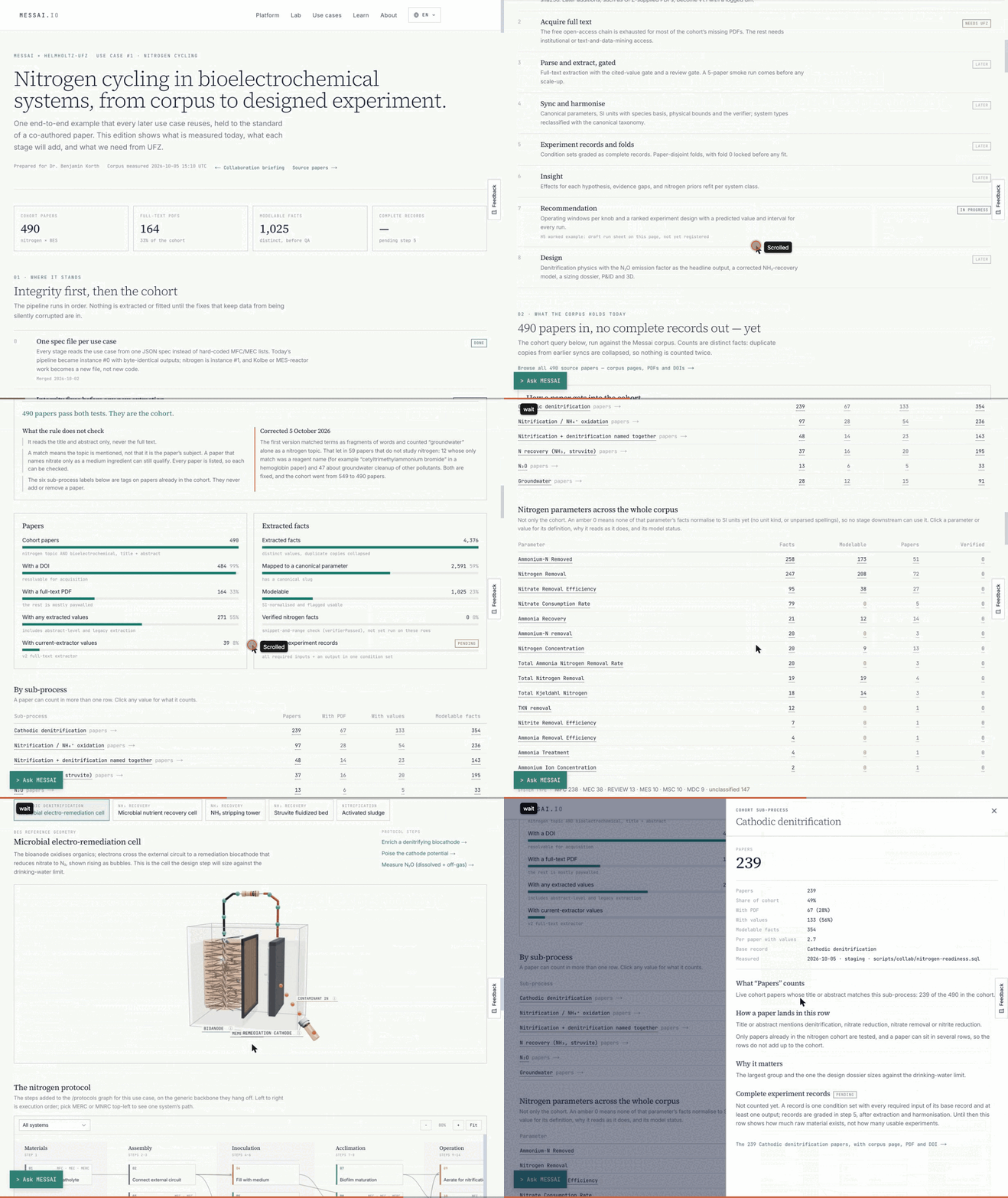
/collab/korth/nitrogen
Collaboration workspaces
One workspace per collaboration: what the corpus holds today, what each pipeline stage will add, and what the use case still needs.
Written stepsPlay the recording
-
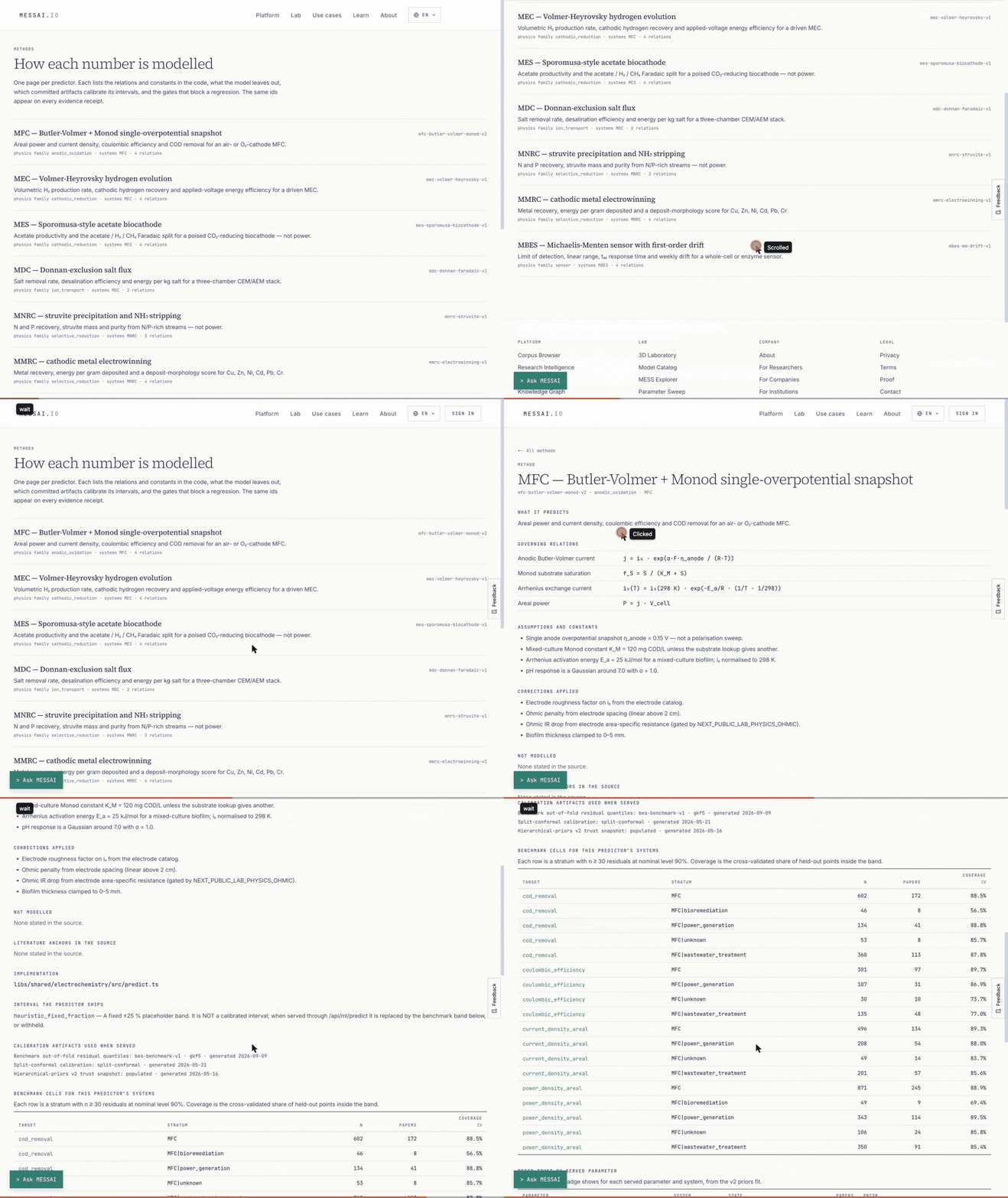
/methods
Methods
One page per predictor: its relations and constants, what it leaves out, and the gates over its intervals. Read it before quoting a prediction.
Written stepsPlay the recording
-
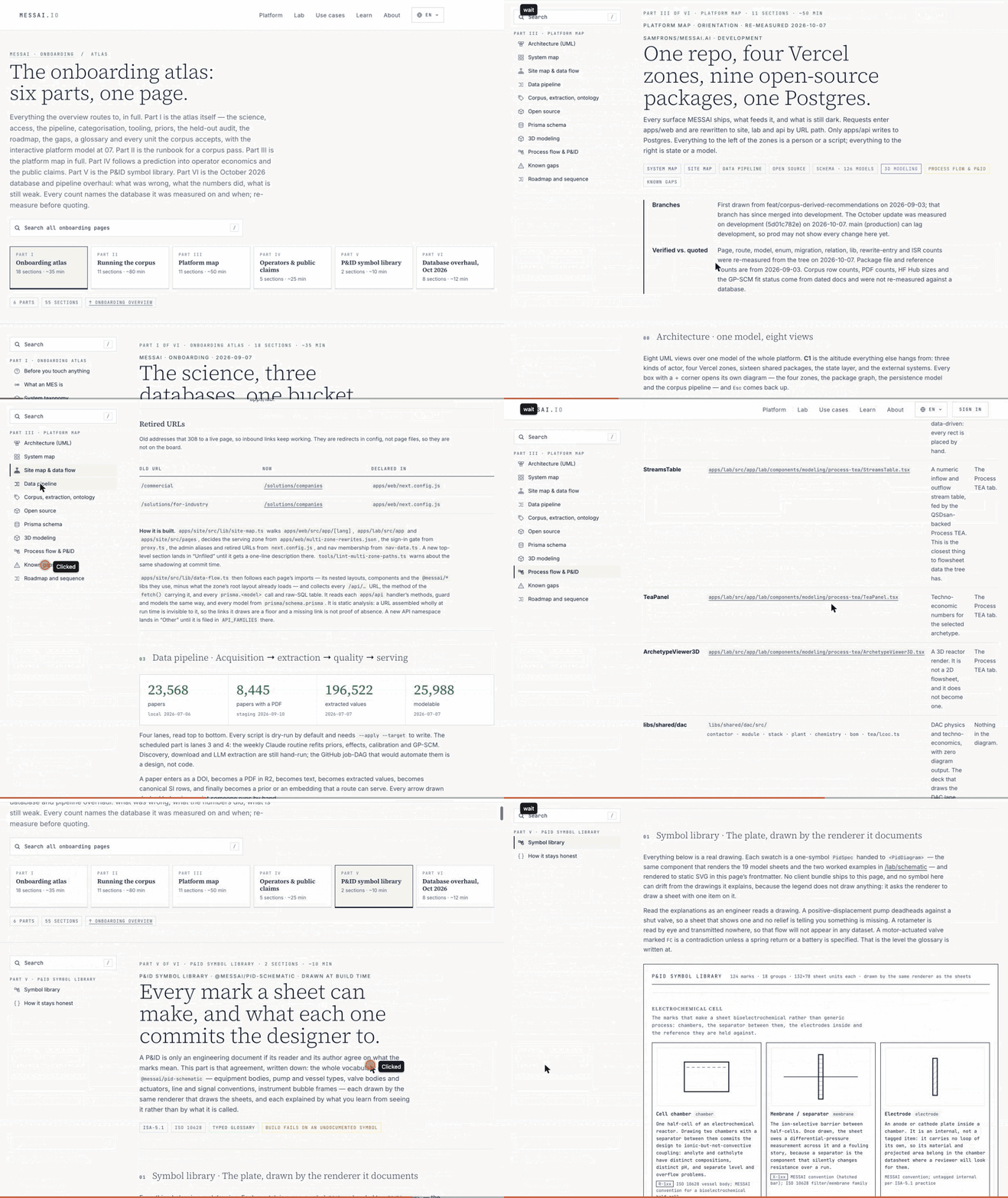
/learn/onboarding/atlas
The maintainer runbook
A tour of the long engineering reference, so you know what is in it before you open it.
Written stepsPlay the recording
03
The user manual
Task-by-task guides: getting started, core features, the 3D lab, and data and analysis. Start there when you know what you want to do and not which screen does it.
Maintainer runbook · engineering history · long
Maintainer runbook (engineering history, long)
The onboarding atlas is the engineering record kept for the people who run the data pipeline: 7 parts, 67 sections, about 4 hours of reading. It holds dated incident notes, fixes and the ranked list of open gaps. Its figures are snapshots with their dates, not the current counts; the live paper count is on /research. You do not need it to use the platform.